

Complete CI/CD Course
with Docker | Kubernetes | Microservices
Learn how to build production-ready CI/CD pipelines in one comprehensive and practical course!
Enroll Now

Become a CI/CD Pro — Build real DevOps Pipelines
GitLab CI/CD is one of the most popular CI/CD platforms! More and more companies are adopting it. So, the need for Developers or DevOps engineers, who know how to build complete CI/CD pipelines on GitLab is increasing
While many GitLab courses teach you only the basics, we will dive into more advanced demos, like implementing dynamic versioning, using cache to speed up the pipeline execution or deploying to a K8s cluster.
So, you'll have built several CI/CD pipelines with real life examples & best practices!
As usual you can expect complex topics explained in a simple way, animations to help you understand the concepts better and lots of hands-on demos!
By the end of this course, you'll be able to

Confidently build CI/CD at your work

Set up self-managed GitLab Runners

Build and deploy containers with Docker Compose

Configure a CI/CD pipeline for a Monorepo Microservice
Configure a CI/CD pipeline for a Polyrepo Microservice

Setup a CI/CD pipeline with best practices

Deploy to a managed Kubernetes cluster

Build a Multi-Stage Pipeline
Course Curriculum
Your Path to become a CI/CD Pro!
Chapter 1:Introduction to CI/CD and GitLab
- 1 - What is CI/CD
- 2 - Introduction to GitLab CI/CD
- 3 - How GitLab compares to other CI/CD platforms
Chapter 2:Core Concepts of GitLab CI/CD
- 1 - Chapter Introduction
- 2 - Jobs: Basic Building Blocks of Pipeline
- 3 - Execute Pipeline
- 4 - Stages: Group jobs
- 5 - needs: Dependency between jobs
- 6 - script: Inline shell commands and executing shell script
- 7 - only: Specify when job should run
- 8 - Workflow Rules: Control Pipeline behavior
- 9 - Trigger Pipeline on Merge Request
- 10 - Predefined CI/CD Variables in GitLab
- 11 - Define Custom Variables
Chapter 3:GitLab Architecture
- 1 - GitLab Runners for running the jobs
- 2 - GitLab Executors - Different Executor Types
- 3 - Job Execution Flow
- 4 - Docker Executor
- 5 - Specific Runners: Runner for specific project
- 6 - Demo Overview: Configure self-managed Runners
- 7 - Install & Register Local Runner on MacOS
- 8 - Install & Register Local Runner on Windows
- 9 - AWS Pre-Requisite
- 10 - Install & Register an AWS EC2 Runner
- 11 - Execute jobs on specific Runner (Tags)
- 12 - Add Docker Runner on EC2 Instance
- 13 - Group Runners: Runner for a GitLab Group
- 14 - Self-Managed GitLab Instance
- 15 - Note on GitLab Runner Versions Compatibility
- 16 - GitLab Architecture Recap
Chapter 4:Build a real life CI/CD Pipeline for Node.js Application
- 1 - Demo Overview & Node.js Project Overview
- 2 - Run Unit Tests & Collect Test Reports
- 3 - Build Docker Image & Push to Private Registry
- 4 - Deploy to DEV Server
- 5 - GitLab Environments: Describe where code is deployed
- 6 - Deploy with Docker Compose
Chapter 5:Optimize CI/CD Pipeline & Configure Multi-Stage Pipeline
- 1 - Section Overview
- 2 - Configure Dynamic Versioning for Docker Image
- 3 - Configure Caching to speed up Pipeline execution
- 4 - Testing in CI/CD & Configure Security Tests (SAST)
- 5 - Intro to Multi-Stage Deployments (Multi-Stage Demo - Part 1)
- 6 - Promote to Staging (Multi-Stage Demo - Part 2)
- 7 - Reuse pipeline configuration using extends (Multi-Stage Demo - Part 3)
- 8 - Promote to Production (Multi-Stage Demo - Part 4)
Chapter 6:CI/CD MicroService Application (Mono and Polyrepo)
- 1 - What are Microservices?
- 2 - Monorepo vs Polyrepo
- 3 - Demo Overview
- 4 - Monorepo - Start services locally and get to know the Application
- 5 - Prepare Deployment Server (Monorepo Demo - Part 1)
- 6 - Build Micro Services (Monorepo Demo - Part 2)
- 7 - Deploy Micro Services (Monorepo Demo - Part 3)
- 8 - CI/CD pipeline for Polyrepo
- 9 - Extract common logic (Job Templates - Part 1)
- 10 - CI Templates - Library for all projects (Job Templates - Part 2)
Chapter 7:Deploy Microservices to Kubernetes cluster
- 1 - Introduction & Demo Overview
- 1.1 - Pre-Requisite: Kubernetes Crash Course
- 2 - Create a K8s cluster on LKE
- 3 - Create GitLab User with restricted Permissions
- 4 - Deploy to Kubernetes Part 1
- 5 - Deploy to Kubernetes Part 2
- 6 - Wrap Up & Delete all cloud resources


Who this course is for:
- Software Developers
- DevOps Engineers
- System Administrators
- Especially for people, who have basic IT knowledge and
- want to learn how to set up real life pipelines
- want to learn how to build a CI/CD pipeline with GitLab platform
Pre-Requisites:
- Basics of Containers - Docker
- Linux Basics (Working with the terminal)
- Basics of Git (cloning a repository, commit, push, pull)
- Only for the last chapter/demo project, where we deploy to K8s:
Kubernetes Crash Course

Course Includes
 66 Lectures
  10+ Hours of Video
  Hands-On Demos
  English Subtitles
  Exclusive Community
  24/7 Live Support i
 Course Certificate
$295
Enroll Now*Price excludes any applicable VAT taxes
What you’ll learn - GitLab Concepts
- Pipelines, Jobs, Stages
- GitLab Runners & Executors
- Regular & Secret Variables
- GitLab's built-in Docker registry
- Workflow Rules
- Environments
- Everything about Caching
- GitLab's Job Templates
- Configure Job Artifacts (test report, passing files and env vars)
- Reuse pipeline configuration by writing own job ci-templates library
- Conditionals
- Learn Best Practices & industry insights!
What you’ll learn - Real Life Demos & CI/CD Concepts
- Pipeline: Test, Build, Push & Deploy Docker Containers
- Configure CI/CD pipelines for Monorepo & Polyrepo Microservices Application
- Deploy with Docker Compose
- Promote to staging and production
- Configure dynamic versioning
- Configure local & remote GitLab Runners
- Configure caching to speed up job execution
- Deploy to a K8s cluster from CI/CD pipeline
- Configure security tests (SAST)
- Learn Best Practices & industry insights!
Build production-ready DevOps Pipelines with Docker, Kubernetes & Microservices

Build, Push and deploy Docker containers using Docker Compose

Configure a CI/CD pipeline for Microservices application - both with Monorepo and Polyrepo!

Learn how to deploy to a Kubernetes cluster from the pipeline
What Our Students Say 🧡
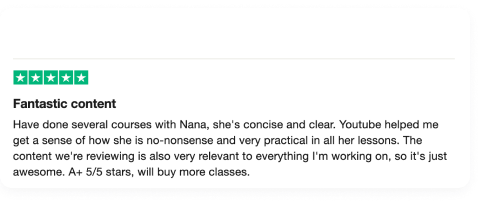
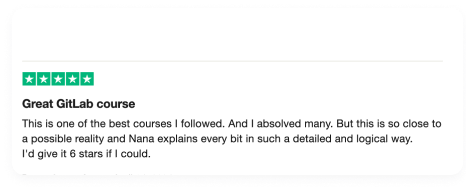
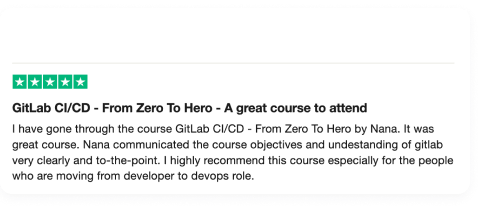
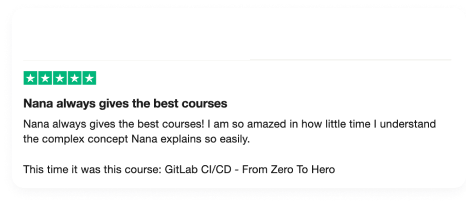
Millions of students love the way I explain complex concepts in an easy way!
No rushing through topics or shallow explanations
Instead I explain every concept behind, so you'll have a deep understanding and big picture. You can apply the skills right at your work!
-

This is the best course I've ever seen. I knew some concepts, but this course is going so deep with all the information and is very well explained. You can't ask more than you will find in the course. For me it was like this...
Read more -
Nana is the Best Teacher, Step by Step Practical Guide!! Make me run Commands every 5', and Verify Every Step!! QA Teaching 100%
Maximiliano U.

-
You have very unique teaching skills. You explain complex topics with simplicity n clarity. Fabulous way of organizing and presenting.It has helped me a lot and made my work life easier.Keep up your good work 🙂
Chytra K.
-
Teaching is an art and you are a genius in that @nana. Thank you so much for such a wonderful and awesome video tutorial! 😊
Syam K.

Nana Janashia
Your Instructor
Hi, my name is Nana. Co-Founder of TechWorld with Nana
I've taught millions of people about Kubernetes and how to become professional DevOps engineers through our DevOps and DevSecOps Bootcamp, Youtube channel and online courses.
Why learn from me
- Millions of students love the way how I explain complex concepts in an easy way, so that everyone can understand it
- Learn from an AWS Container Hero and Docker Captain
- Have given trainings/talks/workshops @ companies like NASA, Microsoft, Red Hat
Frequently Asked Questions
How long do I have access to the course?
You will have access to the course AND the daily professional support for 2 full years. This duration is much longer than what it takes to complete the course, so even if you need to take several breaks in between, there will be enough time 😊
But the great news is that, we provide an option to extend the access the materials as well as the daily support. So you don’t have to re-purchase the course after 2 year access expiration.
Plus, after 2 years, you automatically become an honorary member of our TechWorld with Nana alumni group 💪
Which infrastructure do we use during the course?
Throughout the course, I show hands-on demos. And these demos have to be done on some kind of virtual machines to practice with real-life use cases. This can be on local machine, on-premise data center or on cloud platforms, like AWS, Azure etc.
In the course, I use AWS EC2 instances specifically with Linux Ubuntu OS. Specifically, we will be creating 3 such instances which will be used throughout the course. So the easiest for you will be to follow the course exactly as I demo and avoid any issues caused by the difference in the infrastructure used. However, if this is not an option for you, you can still use any Linux Ubuntu servers to follow along.
Important note!
AWS, like any other cloud platform is a paid platform. And you pay for the duration of servers used. So if your server is running for 2 weeks, you pay for that 2-week period. So the costs will occur for any services you use on AWS. You can see AWS EC2 pricings on their website. And of course, these costs are to be paid by you depending on how long you run the servers and are not included in the course price. Therefore, when you follow the demos, be careful and don't forget to delete your resources (e.g. virtual server) afterwards, once you finish learning, to avoid any unnecessary charges.
However, a tip to save money on servers on AWS specifically, is to stop the servers and restart them when you continue learning, because you don’t get charged for the stopped or not running servers on AWS. It is a bit inconvenient, but you will save lots of money, if you have longer periods or time breaks between the learning sessions.
What if I am unhappy with the course?
Generally if something is unclear or you have problems with the course, we will try to support you immediately to answer all your questions. We are also happy to hear your feedback or criticism immediately, so we can fix it for you.
However, if you are still unsatisfied with your purchase, you can request a refund within the first 30 days. Check out our refund policy here: https://www.techworld-with-nana.com/terms-premium-courses
To ask for a refund, just send us an e-mail at techworld-with-nana@nnsoftware.at
Please include the reason why you're asking for a refund and the email address you use for your course account.
We are always improving the course based also or especially on student's feedback, so we would like to know what we can do better.